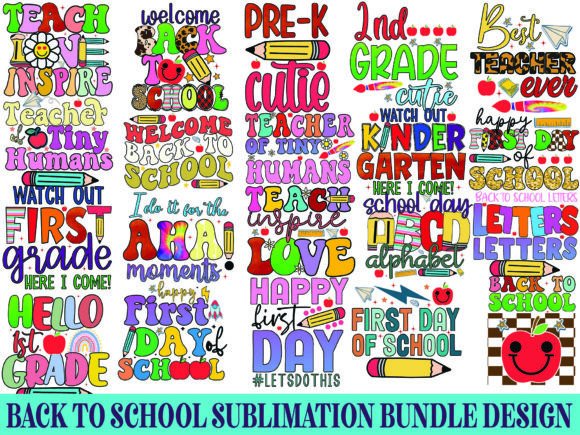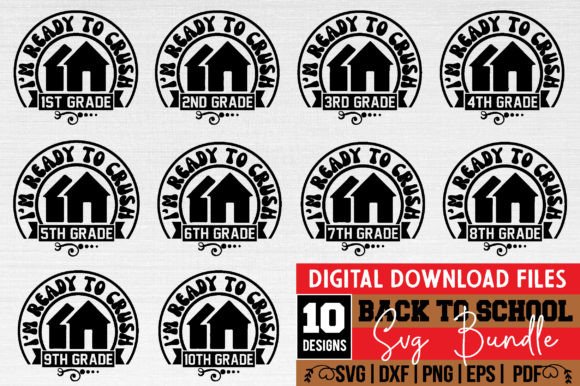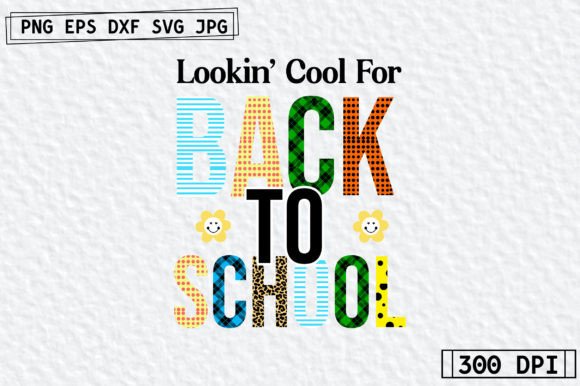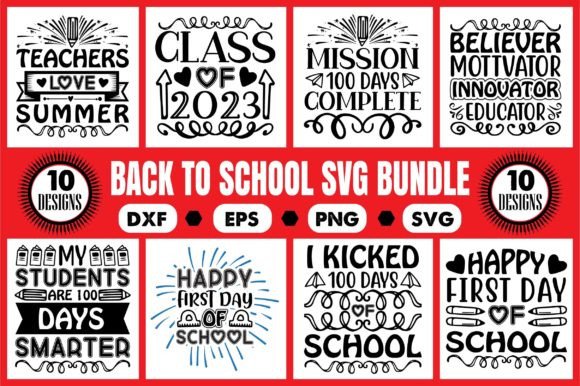
Back to School Svg Design Bundle
Whether you're crafting personalized notebooks for your classroom, designing custom t-shirts for a PTA fundraiser, or launching a seasonal product line for your small business, the Back to School Svg Design Bundle gives you professional-grade graphics ready for cutting, printing, and digital use. These aren’t generic clipart files — they’re thoughtfully crafted vector designs optimized for real-world applications: crisp edges on vinyl decals, clean layers for layered t-shirt prints, and scalable clarity for large-format banners or social media graphics.
What You Actually Get — And Why File Types Matter
The bundle delivers four essential file formats in a single zipped folder: SVG, PNG (with transparent background), EPS, and DXF. Each serves a distinct purpose — and skipping one could cost you time, quality, or compatibility.
- SVG is your go-to for Cricut Design Space, Silhouette Studio Designer Edition, and other modern web-based design platforms. It preserves layers, grouping, and cut lines — but only if your software supports SVG natively (older versions of Silhouette Studio *don’t*, which leads to our first common hiccup).
- DXF bridges that gap. It’s the reliable fallback for basic Silhouette Studio users — no subscription required. If you try opening the SVG in the free version and see missing elements or flattened layers, switch to the included DXF. It won’t support color fills or embedded fonts, but it *will* cut cleanly.
- PNG with transparency is ideal for print-on-demand, Canva projects, or sublimation mockups. No vectors needed — just drag, resize, and drop. Just remember: PNGs don’t scale infinitely. Enlarging beyond 3000px may soften edges, especially for fine details like chalkboard textures or tiny pencil icons.
- EPS is your Illustrator or CorelDRAW anchor — fully editable, scalable, and compatible with professional prepress workflows. If you’re preparing files for a local print shop or integrating into a larger branding kit, this is your most flexible format.
Avoiding the “I’ll Just Resize It Later” Trap
One of the most frequent oversights? Assuming all designs behave the same at every size. A cheerful apple icon with delicate leaf veins might look sharp at 4 inches tall on a tote bag — but shrink it to 0.75 inches for a keychain charm, and those veins vanish into a blurry green smudge. That’s not a flaw in the Back to School Svg Design Bundle; it’s a limitation of how detail interacts with physical output.
Here’s what works better: Before cutting or printing, open the SVG or DXF in your software and check the actual dimensions *before* sending to your machine. For intricate designs (like stacked books with visible spines or detailed backpack zippers), stay above 2.5 inches wide for best results on vinyl or iron-on. For simple silhouettes — think graduation caps or pencils — you can safely go smaller.
Color Expectations vs. Reality
The bundle includes vibrant, school-inspired palettes: crisp navy blues, warm mustard yellows, clean kelly greens, and chalky pastels. But here’s the quiet truth no listing shouts: actual colors may vary slightly due to monitor settings. Your laptop screen renders RGB differently than a Cricut Explore’s vinyl cutter or your home inkjet printer. That “true red” in the preview might come out slightly orange on heat-transfer vinyl — especially on dark fabrics.
Instead of guessing, do this: Print a small color test swatch using your intended material and printer settings *before* committing to 50 shirts. Or, if cutting vinyl, run a 1-inch square of each color you plan to use on scrap material first. It takes two minutes — and saves hours of rework.
Don’t Skip the Unzip Step — Or the Software Check
You’ll need a computer to unzip the folder — yes, even if you’re using an iPad or tablet for design. Mobile devices often auto-extract only the first file or misread nested folders. Always download and unzip on a desktop or laptop first.
Also verify your editing software supports the formats you intend to use. Canva accepts PNG and SVG — but not EPS or DXF. Cricut Design Space handles SVG and PNG natively but *won’t import EPS or DXF*. Silhouette Studio (basic edition) reads DXF and PNG, but not SVG unless you’re on Designer Edition or higher. Confusing these up front leads to frustration — not faulty files.
Why “Drag-and-Drop Friendly” Doesn’t Mean “No Prep Needed”
Many buyers assume SVG = instant magic. In reality, even well-organized bundles benefit from light prep. For example, some designs include optional shadow layers or decorative borders grouped separately. If you’re cutting a simple monochrome decal, you’ll want to ungroup and delete those extras — otherwise, your machine cuts unnecessary outlines or double paths.
Similarly, if you’re layering colors for a multi-material project (say, a teal backpack base + yellow zipper + white text), check that each element is on its own layer or color-coded group. The Back to School Svg Design Bundle organizes these intuitively — but always inspect before cutting. A quick “Ungroup All” followed by “Select by Fill Color” in Silhouette Studio or Illustrator reveals hidden duplicates or stray nodes.
Realistic Use Cases — and What to Prioritize
For educators: Focus on the PNGs and SVGs. Use PNGs in Google Slides for interactive back-to-school slideshows or in Seesaw activity templates. Use SVGs to cut name tags, classroom job charts, or laminated behavior trackers — just ensure your Cricut or Silhouette is calibrated for cardstock thickness.
For small business owners: Leverage the EPS files when building brand-consistent assets — like matching Instagram story templates and printable planner pages. Pair the SVGs with your heat press workflow, but always mirror designs for iron-on transfers. (Yes — it’s easy to forget. Double-check that “mirror image” toggle before pressing.)
For hobbyists and parents: Start with the DXF files if you’re using basic Silhouette Studio. They’re stable, predictable, and perfect for quick projects like lunchbox stickers or backpack charms. Save the EPS for when you’re ready to tweak fonts or adjust spacing in Adobe Illustrator.
Final Practical Check Before You Download or Buy
Before finalizing your purchase or diving into your first project, ask yourself:
- Do I have unzipping software installed (like WinZip, 7-Zip, or macOS Archive Utility)?
- Which design program am I using *right now* — and which file types does it reliably open?
- What’s my primary output method? Cutting machine? Digital print? Sublimation? Each favors different formats.
- Do I need editable text? (Note: These are graphic designs — text is outlined, not live-font. To change wording, you’ll need to add new text in your design software.)
- Have I checked the license? This bundle is for personal *and* commercial use — but resale of the raw files themselves isn’t permitted.
The Back to School Svg Design Bundle isn’t about shortcuts — it’s about giving you accurate, versatile, production-ready assets so you spend less time troubleshooting files and more time creating meaningful, polished work. Choose the right format for your tool and goal, test early, and keep your expectations grounded in how digital files translate to physical results. That’s how you turn a simple download into consistent, confident results — all season long.